application · Jul 6, 2026
Embedded Spreadsheet for Java: Let Users Edit Excel Files Inside Your Web App
 Matthieu Duchemin
Developer, Keikai.
Matthieu Duchemin
Developer, Keikai.
Embedded Spreadsheet for Java: Let Users Edit Excel Files Inside Your Web App
Your business is piloted through an enterprise java web application, but some of your workflow runs on a desktop spreadsheet. It might be a budgeting sheet where departmental budgets are consolidated, a shared pricing sheet, a loan-processing intake form, an operational tracker, or any other sort of business-oriented spreadsheet. That spreadsheet probably exists as an .xlsx file that gets shared on USB sticks, or emailed around. It takes real effort reconciling the diverging copies. You would rather have your users open and edit that workbook directly inside your application as an embedded spreadsheet. No downloading a desktop client or uploading to an external sheet service, no switching tools, no attachments flying back and forth. This article looks at how to host one authoritative workbook inside your own app as an embeddable Keikai Java web spreadsheet component, how it lets many users collaborate on it as part of the business process, and take a deeper look at how the shared-editing model behaves in the real world.
Editing without leaving your application
Demo: Excel-like editor
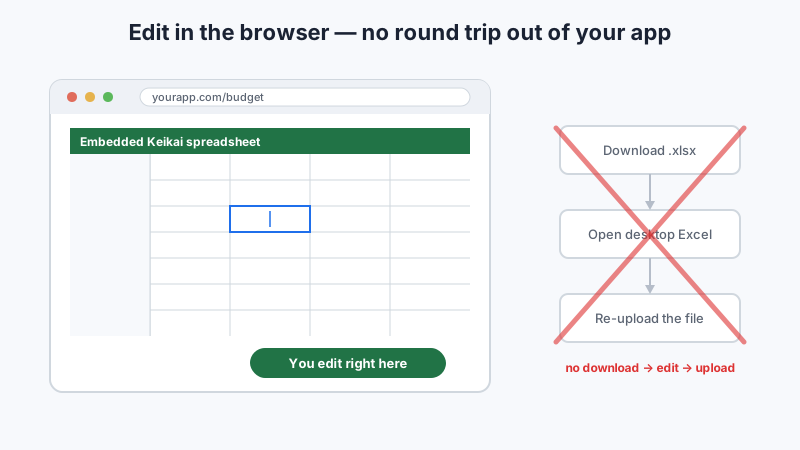
The core promise is simple: your users edit Excel files in the browser where they already are. They do not download the workbook, open it in desktop Excel or another desktop client, make changes, and then upload it back. There is no round trip out of your application and no second tool to install, license, or keep in sync. The workbook opens as an embedded spreadsheet on a page your app renders, and every edit happens against the live server-side Book.
That has a few practical consequences worth calling out:
- No download, no upload. The
.xlsxnever has to leave the server for a user to work on it. A user clicks into the workbook and starts editing; there is no "download → edit → re-upload" cycle to manage, no lose file to keep track of. - No switching to Excel or a desktop client. Because the data grid, formula bar, and toolbar are delivered as an Excel-like spreadsheet in the browser, users do not need a local Microsoft Office installation, a plugin, or any additional software installed on their device to open or edit the file.
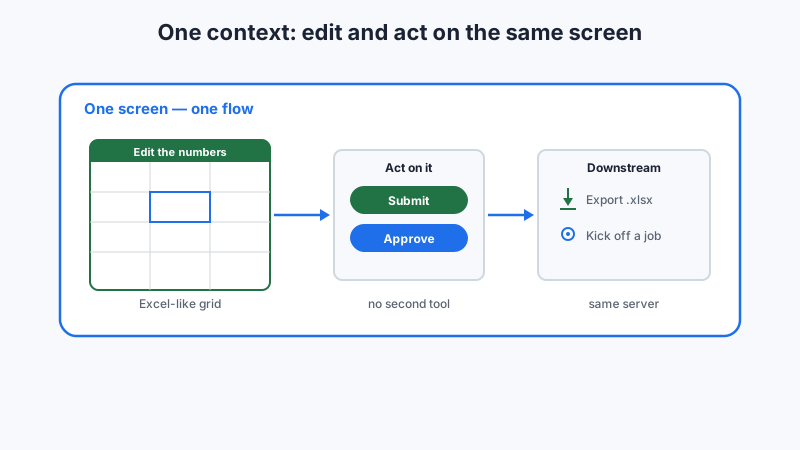
- One context. Editing the numbers and acting on them — submitting, approving, exporting, kicking off a downstream job — happen in the same screen flow your application already provides, not in an attachment opened somewhere else.
For the developer, this is the difference between shipping a real Excel editor as a feature of your product and bolting a file-exchange step onto the side of it. The spreadsheet is a first-class part of the UI, served by the same Java web spreadsheet component that renders everything else on the page.
Single-user workflows: approvals, calculations, and forms
Demo: workflow
Outside of collaboration editing, many scenarios involve a single user opening the workbook as a step in an applicative workflow. Keeping the spreadsheet embedded still pays off here, because the integration in your Java web application allows the user to continue their workflow without switching tools in this case too.
Review and approval
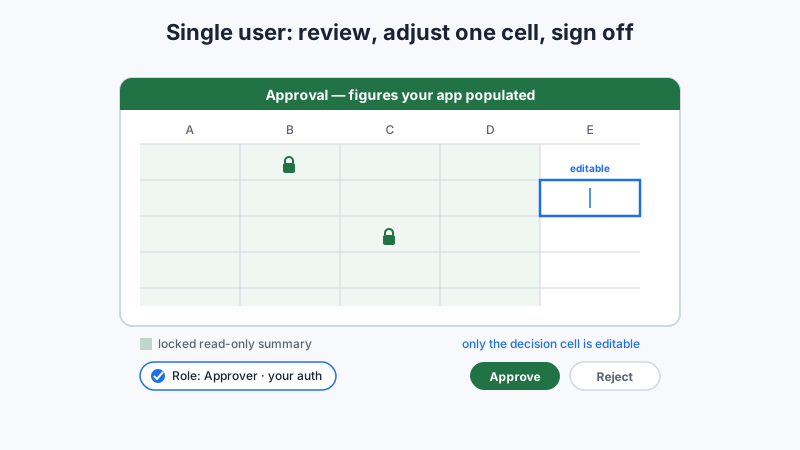
In an approval workflow, an approver opens the workbook in the browser, reviews the figures your application already populated, adjusts a cell or two, and signs off on the results — all without leaving the app or downloading anything. Your existing auth and roles controls who accesses what, the same permission model that decides who can approve also decides which ranges they may read or edit. Locked and validated ranges (covered below) let you present a read-only summary while leaving only the decision cells editable, so the approval step is auditable and constrained by design.
Engineering and financial calculations
Demo: financial reporting
Some workbooks are the calculation. An estimation model running engineering calculations, an analyst working a pricing model, or an accountant completing financial forms cares that the formulas evaluate correctly and consistently. With the workbook hosted server-side, the formulas run in your environment against one authoritative model — so the calculation a single user performs in the browser is the same logic the rest of your system relies on, not a private copy that may have diverged.
Structured data entry
Single-user data entry — updating an inventory count, filling a budgeting template, completing an intake form — benefits from the same embedded spreadsheet model. The user gets a familiar, Excel-like editing surface; you get validated input written straight into your system, with no file to receive, parse, or reconcile afterward.
The collaboration use case
Demo: collaboration edit
Many editors, one server-hosted source of truth
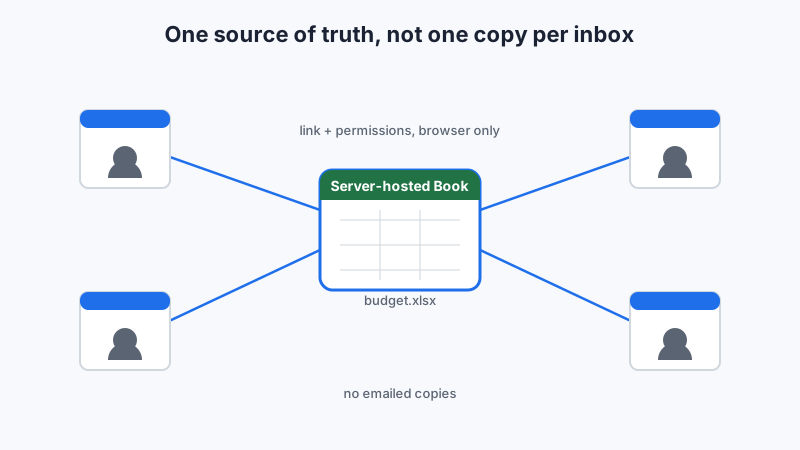
When sharing a spreadsheet by file to multiple users as offline copies, each copy essentially becomes a fork. When someone types the file name budget-4-final-2026-v3.xlsx and attach it to an email, you have a good indication that this spreadsheet is one of many versions of the same document which may exists through your organization. Eventually, those alternate versions will have to be collated and reconciled — usually by hand, often not losslessly. When a whole business process depends on that reconciliation, the cost is not just annoyance and wasted time. Errors here reach production numbers.
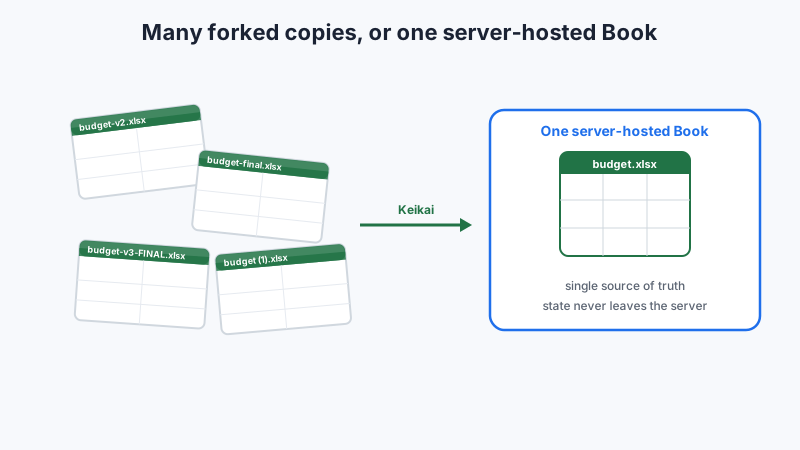
Keikai inverts this paradigm. Inside your Java web app, the workbook lives on the server as a single Book instance, and every connected browser is acts as a client accessing that authoritative Excel-like spreadsheet. There is no need to keep diverging copies of that file, because the authoritative state never leaves your server. That workbook is imported once, and the application serves each client a reference to the same sheet
Book book = Importers.getImporter().imports(new File("budget.xlsx"), "budget");
Spreadsheet spreadsheet = new Spreadsheet();
spreadsheet.setBook(book);
Since Keikai is built on top of the ZK framework, its shares its server-centric architecture: the real spreadsheet state lives in server memory, and the browser is a thin client that renders the server-provided states. "one source of truth" is the intent here — the authority is the server-side Book owned by your application.
Browser-only access, governed by your app
Users reach the workbook through your application: your web access, your security framework, your permissions. There is no desktop client install, no plugin, no client-side download of the spreadsheet file itself. The Excel-like UI — cell grid, formula bar, formatting toolbar — is delivered as an Excel-like spreadsheet editor inside a page your app already serves. From the user's point of view, it feels like a spreadsheet. From the developer's, it is a Java component embedded in software you control, sitting behind the same auth that manages everything else your application.
Where this fits
This model is a great fit for processes where people access the same structured data as part of their jobs — whether many editors share it or a single user opens it as one step in a larger process. It is a strong fit for internal tools or portals where a table of data is the natural editing surface: budgeting and forecasting, pricing sheets, inventory tracking, financial forms, engineering calculations, and approval workflows. It is less suited to ad-hoc personal spreadsheets that live entirely outside any process — the one-off file a single person opens, edits, and emails to nobody in particular. The distinction is not the number of users; it is whether the spreadsheet is part of an applicative workflow.
Concurrent editing with Keikai
The shared editing model, described plainly
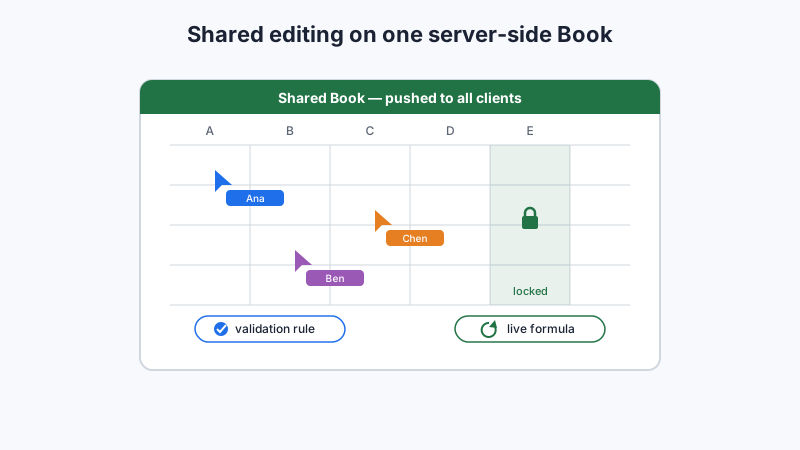
Keikai's collaboration demo shows several users editing the same workbook at once. The collaboration mechanism follows from the architecture above: there is one shared server-side Book, edits are applied to it, and the resulting changes are pushed out to every connected client to keep their views in sync.
Permissions and locked ranges
Concurrent editing can be sanitized by managing who can edit what, and it is where your existing app permissions do real work. User actions can be restricted in Keikai, and you may and protect specific ranges or sheets. That way, a data-entry level user can fill the input columns while computed columns and configuration sheets stay read-only.
Sheet sheet = book.getSheetAt(0);
// Lock a computed range so collaborators can't overwrite it
Range computed = Ranges.range(sheet, "D2:D100");
computed.getCellStyle().getProtection().setLocked(true);

// Restrict actions for this client's spreadsheet view
spreadsheet.disableUserAction(AuxAction.INSERT_SHEET, true);
spreadsheet.disableUserAction(AuxAction.DELETE_SHEET, true);
Live formulas and validation, enforced server-side
A real advantage of keeping the workbook inside your app is that the calculation engine and input rules run server-side, during editing. Keikai fomula engines evaluates calculated values. When one collaborator changes an input, dependent cells recalculate for everyone. The formulas are dynamic and updated as needed; not a static snapshot baked into an exported file. They are live business logic enforced by the server-side engine.
Input validation works the same way. A rule is attached to a range so invalid inputs are rejected as they are entered:
Range input = Ranges.range(sheet, "B2:B100");
input.setDataValidation(value -> value instanceof Number && ((Number) value).doubleValue() >= 0);
input.getDataValidation().setErrorMessage("Enter a number ≥ 0");
Making it work inside your app
Why the spreadsheet belongs inside your app
A workbook embedded in your app, instead of treated as a separate tool becomes part of the business process. Four operational benefits follow directly from keeping a Java spreadsheet component integrated and hosted in a Java webapp under your control:
- Data residency and security. The workbook is a
Bookin your server's memory and your database. The spreadsheet data never leaves your system, so it stays inside whatever compliance and network boundary your application already lives in. - Auth reuse. Access is governed by the authentication and permissions you already have. You are not managing a second identity model in a third-party tool; the spreadsheet is behind your web security layer, your SSO and your roles-based access because it is your code calling the Java API.
- Single source of truth. There is only one server-hosted workbook that every user views and edits, so there are no diverging copies to reconcile and no "which version is latest?" — the current state is the process state.
- Part of the workflow. The spreadsheet is the process. Calculations and validation are enforced as data is entered, and the same server that runs the spreadsheet runs the surrounding logic — approvals, exports, downstream jobs — so editing and acting on the data are one flow, not two.
Saving strategy
With a shared server-side Book, persistence is a decision you make explicitly rather than something the framework does invisibly. You hold the live state in memory and write it out to a database or export it back to a file when it makes sense for your functional needs. Exporting is straightforward:
try (FileOutputStream fos = new FileOutputStream("budget-saved.xlsx")) {
    Exporter exporter = Exporters.getExporter();
    exporter.export(book, fos);
}
The main question is when to persist. Consider these possible patterns:
- On change — persist after each meaningful edit. Safest against data loss, heaviest on I/O.
- Periodic — autosave on an interval. A reasonable middle ground for most internal tools.
- Explicit save — the user clicks Save. Predictable, but risks losing unsaved concurrent work if the session ends abruptly.
Most collaborative deployments combine periodic autosave with an explicit save action, treating the in-memory Book as the working copy and the database as the durable record of truth.
Takeaway
If you have a Java web app with a spreadsheet-driven process, embedding Keikai comes down to one architectural idea: a single server-hosted Book that all clients can view and edit inside your own application, with formulas and validation enforced server-side and no desktop client required.
This creates a genuine single source of truth. Data never leaves your system. Access is governed by your existing auth. The spreadsheet becomes part the workflow rather than a tool beside it — for a whole team consolidating budgets, or for a single approver signing off in a browser.
The embedded Excel editor inside your own Java web application acts as the single point of contact with the sheet, with no download, upload, or desktop Office required